





How to Audit Authentication & Authorization with AI: Find IDOR, BOLA & API Security Gaps Before Production
Authentication answers “Who are you?”
Authorization answers “What are you allowed to do?”
And object-level authorization asks the question developers often forget:
“Are you allowed to do it to this specific resource?”
That last part is where vulnerabilities such as IDOR (Insecure Direct Object Reference) and BOLA (Broken Object Level Authorization) appear.
OWASP lists Broken Object Level Authorization as API1:2023, noting that APIs that accept object identifiers should perform authorization checks whenever those identifiers are used to access data. (OWASP API Security Top 10)
The good news is that you can use AI to help audit your authentication and authorization logic before shipping.
Not as a replacement for security testing.
Think of AI as another pair of eyes that can help you find assumptions you might have missed.
1. Start by mapping your authentication flow
Before asking AI to find vulnerabilities, give it enough context to understand your application.
For example:
User
  ↓
Login
  ↓
JWT issued
  ↓
Authorization header
  ↓
Middleware
  ↓
API endpoint
  ↓
Database
Ask AI:
Review this authentication flow.

Identify:
1. Where the user identity is established
2. Where the token is validated
3. Where authorization happens
4. Which parts are trusted from the client
5. Where an attacker could potentially bypass a security check

Do not assume the implementation is secure.
Explain every assumption you are making.
This is useful because junior developers often look at the login function and assume authentication is the entire security layer.
It isn't.
A perfectly implemented login does not automatically mean the APIs behind it are authorized correctly. OWASP explicitly distinguishes authentication from authorization: being authenticated does not mean a user is authorized to access every resource or perform every action. (OWASP Cheat Sheet Series)
2. Ask AI to build an authorization map
Take your API routes and ask AI to classify them.
For example:
GET    /api/users/:id
GET    /api/invoices/:id
PATCH  /api/invoices/:id
DELETE /api/invoices/:id
GET    /api/admin/users
POST   /api/admin/users
Then ask:
Create an authorization matrix for these endpoints.

For each endpoint identify:

- Anonymous access
- Normal user access
- Resource owner access
- Admin access
- Required permissions
- Object-level authorization requirement
- Possible IDOR/BOLA scenario
- Possible function-level authorization scenario

Flag anything that is unclear.
You are forcing yourself to answer an important question:
Who is actually allowed to do what?
If you cannot clearly answer that, your code probably needs a closer security review.
3. Test for IDOR / BOLA
This is one of the simplest checks you can perform.
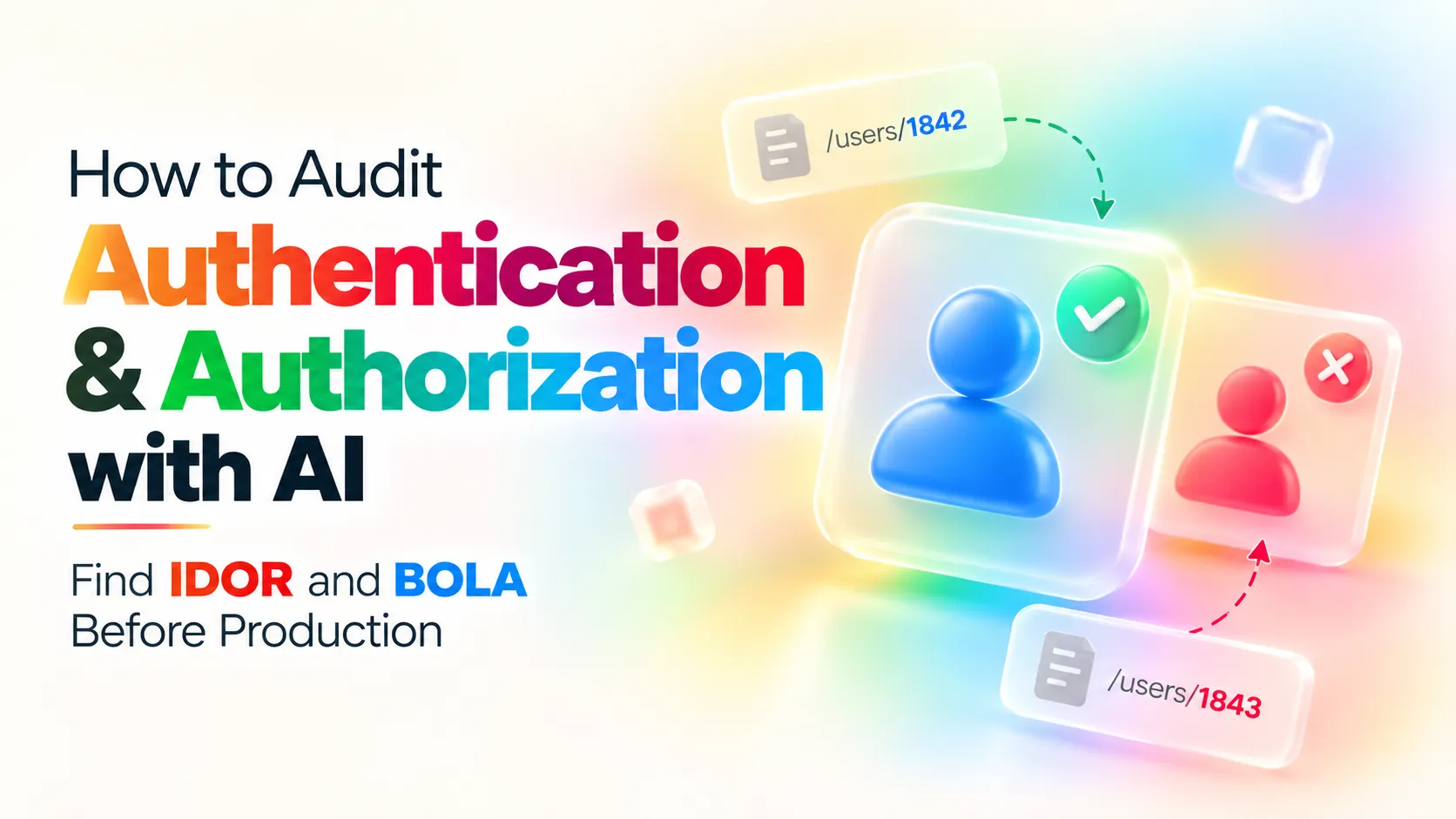
Suppose your application makes this request:
GET /api/invoices/1842
Authorization: Bearer <user-token>
User A owns invoice 1842.
Now test:
GET /api/invoices/1843
Authorization: Bearer <user-token>
If invoice 1843 belongs to User B and User A receives it, you have an authorization problem.
The important detail is that the attacker doesn't need to steal another user's password.
They are already authenticated.
They are simply asking:
“Can I access an object that isn't mine?”
OWASP specifically describes BOLA attacks involving manipulation of object identifiers and recommends object-level authorization checks for every function that uses client-supplied IDs to access records. (OWASP API Security Top 10)
You can ask AI to help generate these test cases:
Here are my API endpoints:

[paste endpoints]

For every endpoint that accepts an object ID:

1. Create a normal-user test case
2. Create a different-user test case
3. Try changing the object ID
4. Try accessing another user's resource
5. Try modifying another user's resource
6. Try deleting another user's resource

Return the expected secure response and the vulnerable response.
4. Don't only test GET requests
A common beginner mistake is checking only whether another user's data can be read.
Authorization also matters when modifying data.
For example:
PATCH /api/invoices/1843
or:
DELETE /api/invoices/1843
A secure application should not simply check:
Is the user logged in?
It should effectively check:
Is the user logged in?

Does this user have permission to perform this action?

Does this resource belong to this user
or is the user otherwise authorized to access it?
The same principle applies to creating, updating and deleting resources. (OWASP API Security Top 10)
5. Check the frontend trap
This is another one worth asking AI about.
Imagine your frontend contains:
if (user.role === "admin") {
    showDeleteButton();
}
That is useful for the interface.
It is not an authorization control.
A user can ignore your UI completely and send the request directly.
For example:
DELETE /api/users/42
The backend must independently verify whether the requester is allowed to perform that operation.
OWASP recommends enforcing authorization server-side and using a deny-by-default approach rather than trusting client-side behavior. (OWASP Cheat Sheet Series)
Ask AI:
Review this frontend permission logic.

Assume an attacker can completely bypass the frontend
and send HTTP requests directly.

Tell me which security decisions are incorrectly
being made on the client.

Then show me what must be enforced on the backend.
6. Ask AI to attack your API from a second user's perspective
This is where AI becomes particularly useful for junior developers.
Give it two fictional users:
User A
Role: customer
ID: 101

User B
Role: customer
ID: 102
Then ask:
Act as a security reviewer.

Assume User A has a valid session.

Try to identify every way User A might access,
modify or delete User B's resources.

Consider:

- URL IDs
- Query parameters
- Request bodies
- HTTP methods
- Nested resources
- File IDs
- UUIDs
- Hidden frontend fields
- Admin endpoints
- Bulk endpoints

For every finding explain:
1. Why it could be vulnerable
2. What authorization check should exist
3. How I could write an automated test for it
This turns a vague security review into a concrete checklist.
7. Don't forget function-level authorization
IDOR/BOLA isn't the only authorization problem.
Imagine a normal user discovers:
GET /api/admin/users
or:
POST /api/admin/export
If the endpoint exists but the backend doesn't properly check the user's role or permission, you have a Broken Function Level Authorization problem.
OWASP identifies this separately as API5:2023. (OWASP API Security Top 10)
Ask AI:
Review these API routes.

Find endpoints that should require elevated permissions.

For each one tell me:

- Required role
- Required permission
- What a normal user should receive
- What an admin should receive
- How to test unauthorized access
8. Use AI to review the actual authorization code
Don't only give AI your route list.
Give it the middleware and controller/service code too.
For example:
Review this authorization middleware.

Do not rewrite it immediately.

First identify:

- Missing checks
- Trust assumptions
- Client-controlled values
- Role bypasses
- Object ownership problems
- Missing deny-by-default behavior
- Privilege escalation possibilities
- Race-condition concerns

For each finding:
Severity:
Location:
Why it matters:
Example attack:
Recommended fix:
Test case:
This format is much more useful than asking:
"Is this code secure?"
That question encourages a shallow answer.
Specific questions produce better reviews.
9. Make AI generate authorization tests
Once the review is complete, ask AI to turn the findings into tests.
For example:
Generate integration tests for this authorization policy.

Test:

1. Unauthenticated user
2. Authenticated user
3. Resource owner
4. Different authenticated user
5. Admin
6. User with insufficient permissions

Every unauthorized request should fail safely.

Use the existing test framework and don't change application behavior.
You want security rules to become executable tests, not just documentation.
OWASP also recommends automated unit and integration testing of access-control logic, while noting that automated testing does not replace skilled manual security testing. (OWASP Cheat Sheet Series)
10. The junior-developer authorization checklist
Before shipping an authenticated API, ask:
□ Can an unauthenticated user reach this endpoint?

□ Can User A access User B's resource?

□ What happens if I change an object ID?

□ Can I modify another user's resource?

□ Can I delete another user's resource?

□ Can a normal user call an admin endpoint?

□ Can I bypass the frontend completely?

□ Are permissions checked on the server?

□ Are object ownership checks performed?

□ Are authorization rules deny-by-default?

□ Are sensitive actions covered by automated tests?

□ Did I test both successful and rejected requests?
If you use AI, give it this checklist and your API specification:
Audit my authentication and authorization implementation
against this checklist.

Do not assume missing information is secure.

Mark each item as:

PASS
FAIL
NEEDS REVIEW

For every FAIL or NEEDS REVIEW item,
explain exactly what evidence is missing
and give me a concrete test case.
One important warning about using AI for security
Don't paste production secrets, API keys, passwords, session tokens or private customer data into an AI tool.
And don't treat:
AI says it's secure
as a security certification.
AI can misunderstand your business rules, miss subtle authorization relationships, or confidently approve flawed code.
Use it to question your assumptions, generate test cases, review code and find areas that deserve deeper investigation.
The final question should always be:
Can the server prove that this user is allowed to perform this action on this specific resource?
If the answer is unclear, the audit isn't finished.