




Archilo: helping architecture work become visible.

Explore the ecosystem →

Updates & announcements

Archilo: helping architecture work become visible.

A focused platform for architecture portfolios, research, talent and creative opportunity. Built for architects, students and studios.

Enally announcement
Enally: building useful things, together.

A founder-led ecosystem connecting products, services, knowledge, community and opportunities. One belief, expressed in different ways.

Enally announcement
Build with us: internships, contributors and partnerships.

Practical ways for young builders, contributors and domain experts to learn through real products and useful responsibility.

Archilo growing steadily

Architecture portfolios and research pages now serve 5,000+ creative professionals.

Enally announcement
Humble campus expansion

Verified student communities now active across multiple campuses with 2K+ members.

Faaho partner beta live

Zero-brokerage living discovery is now available in partner beta. Technology by Enally.

Enally announcement
Enally Labs launched

Applied AI experiments, internal agents and prototype products now live under Labs.

Enally announcement
Blog redesigned

The Enally blog now brings practical guides, opportunities and ecosystem knowledge together.

Enally announcement
Services: SEO to AIO

Five-layer visibility services now available — SEO, AEO, GEO, SXO and AI Optimization.

Enally announcement
Build with us program

Internships, campus ambassadors and contributor roles open for builders who want real ownership.

Enally announcement
Company website rebuilt

Enally.in redesigned with improved performance, accessibility and dark theme support.

Data Science

How to Install Apache Hive on Kali Linux effortlessly

Learn how to install and configure Apache Hive on Kali Linux with this comprehensive guide. From setting up Hadoop and installing Hive to configuring Metastore and running basic HiveQL commands, this tutorial covers all the necessary steps for a successful single-node Hive setup.

How to Install Apache Hive on Kali Linux effortlessly
What you'll learn

Learn how to install and configure Apache Hive on Kali Linux with this comprehensive guide. From setting up Hadoop and installing Hive to configuring Metastore and running basic HiveQL commands, this tutorial covers all the necessary steps for a successful single-node Hive setup.

Jump to the guide

Apache Hive is a data warehouse system built on top of Hadoop that facilitates querying and managing large datasets. Here's a simple guide to install Hive on Kali Linux.

Prerequisites:

  1. Java 8 or newer: Hive requires Java to run. Install Java if not already done.

  2. Hadoop: Hive requires Hadoop to run, so you need Hadoop installed and configured.

Step-by-Step Guide:

1. Install Java:

Hive requires Java 8 or later. To install Java, run:

sudo apt update
sudo apt install openjdk-11-jdk -y

Check the Java version:

java -version

2. Install Hadoop:

Ensure Hadoop is installed. If you don't have it, install Hadoop first

3. Download Apache Hive:

Go to the directory where you want to install Hive, typically /usr/local:

cd /usr/local

Download the latest stable version of Hive (e.g., version 4.0.1):

wget https://downloads.apache.org/hive/hive-4.0.1/apache-hive-4.0.1-bin.tar.gz

Extract the tarball:

tar -xvzf apache-hive-4.0.1-bin.tar.gz
mv apache-hive-4.0.1-bin hive

4. Set Hive Environment Variables:

Add the following to your ~/.bashrc to set Hive's environment variables:

export HIVE_HOME=/usr/local/hive
export PATH=$PATH:$HIVE_HOME/bin

Apply the changes:

source ~/.bashrc

5. Configure Hive:

Navigate to the conf directory and copy the template files to create hive-site.xml:

cd $HIVE_HOME/conf
cp hive-site.xml.template hive-site.xml

Edit hive-site.xml to configure the JDBC URL and other settings (default Derby database works for testing):

nano hive-site.xml

6. Initialize the Hive Metastore:

Hive uses a metastore database (default Derby) to store metadata. Initialize it by running:

schematool -dbType derby -initSchema

7. Start the Hive Metastore:

Run the following to start the Hive Metastore service:

hive --service metastore &

8. Start Hive CLI:

Finally, start the Hive command-line interface (CLI):

hive

Conclusion:

Now, you have Hive up and running on Kali Linux! You can use Hive to manage and query large datasets stored in Hadoop.

For production, you might want to configure a more robust database like MySQL for the metastore instead of Derby.
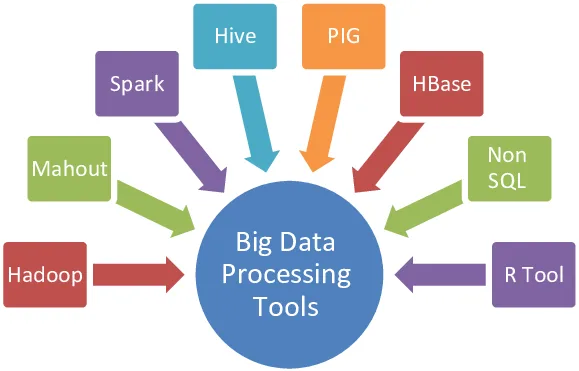

Frequently asked questions

Learn how to install and configure Apache Hive on Kali Linux with this comprehensive guide. From setting up Hadoop and installing Hive to configuring Metastore and running basic HiveQL commands, this tutorial covers all the necessary steps for a successful single-node Hive setup.

This guide covers Apache Hive is a data warehouse system built on top of Hadoop that facilitates querying and managing large datasets. Here's a simple guide to install Hive on Kali Linux., Step-by-Step Guide:.

The estimated reading time is 2 min read.

Keep learning

Related articles